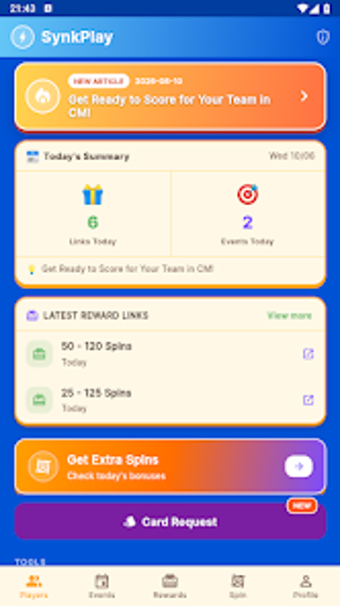
Central mobile link organizer with cross-device synchronization and tagging
SynkPlay: Link Master, from Firebreath, centralizes web URLs on Android devices to prevent lost bookmarks and scattered references. The app captures and stores links for later retrieval while offering search, tagging and category tools to narrow results quickly. It supports cross-device synchronization and persistent storage so collections survive device changes. Researchers, students, and mobile professionals who gather reference material on the go gain a focused workflow for organizing links.
How reliable is synchronization between devices?
SynkPlay's synchronization is dependable for routine use. The app relies on signing into the same account to propagate saved URLs automatically, and user feedback highlights consistent syncing. Because synchronization depends on network availability, expect propagation after a device regains connectivity rather than instantaneous offline transfer; this account-based model explains why consistency improves when multiple devices are online.
Does it affect device performance during background activity?
Resource impact remains low on everyday Android hardware. The developer designed the app to avoid heavy background processing, and its lightweight profile reduces resource demands during indexing and sync operations. In practice, the app runs without noticeable slowdown on many Android devices, so background synchronization and list maintenance rarely interfere with browsing or other foreground tasks.
Is storing links safe and usable offline?
Saved entries remain available offline while new saves require connectivity. The app allows previously synchronized links to be viewed when a device is offline, while creating and propagating new entries requires an internet connection. That behaviour gives local access to archived material yet ties cross-device continuity to an account and periodic network access for full collection integrity.
Do I need technical knowledge to operate it correctly?
The interface and workflows suit non-technical users. A clear, simple interface reduces the steps to capture a URL from other apps, so common tasks need little instruction. Users who want more control can apply tags and filters for deeper organization, while casual users can save links from a browser share sheet with minimal setup and no advanced configuration.
Final judgment: practical choice for mobile link collectors
SynkPlay is a practical option for Android users who need a straightforward way to centralize large link collections. A notable trade-off is reliance on an account-based synchronization model for continuity across devices. As a tip, export or back up critical archives periodically to local storage to reduce exposure to account loss. In practice, SynkPlay performs reliably for mobile link management tasks.
Pros
Quick-save integration with Android share menu for immediate URL capture
Categorization and tagging tools for focused organization
Lightweight performance designed to run on many Android devices
Users report dependable synchronization when signed into an account
Cons
Synchronization requires an account and internet connectivity
No explicit desktop or non-Android client available
Cloud-dependent continuity may worry local-only storage users
Laws concerning the use of this software vary from country to country. We do not encourage or condone the use of this program if it is in violation of these laws. Softonic may receive a referral fee if you click or buy any of the products featured here.